
 See Our Latest Article on HelloNation
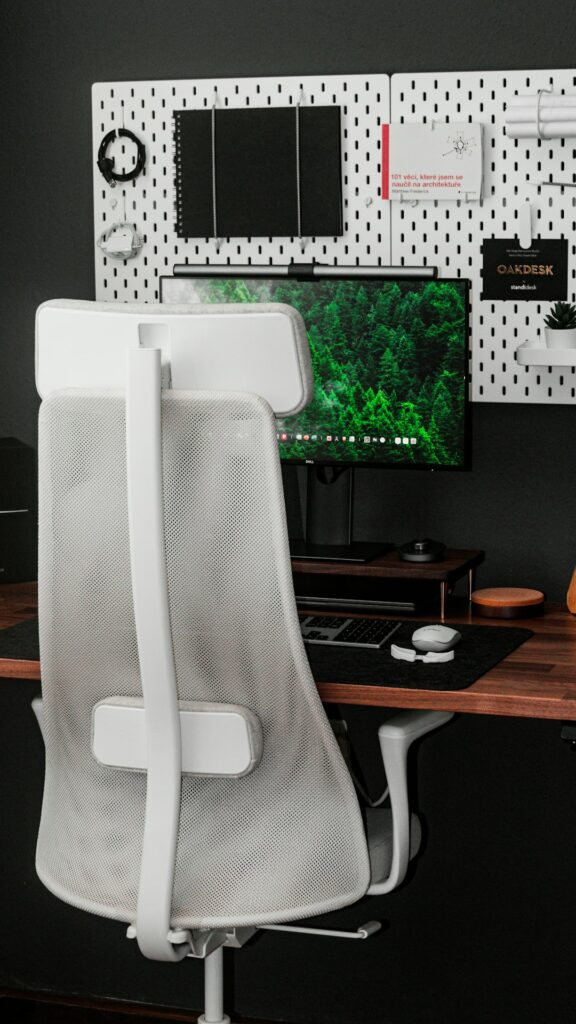
Desk work can contribute to neck pain, headaches, back stiffness, wrist discomfort, and shoulder tension. These problems usually develop gradually from prolonged sitting, limited movement, awkward positioning, or repeated hand and arm use rather than from one obvious injury.
For residents of Sweden, NY, desk-related discomfort may affect people working from home, commuting to an office, studying, managing household tasks, or spending long winter periods indoors. Understanding early warning signs can help prevent a minor irritation from becoming a persistent problem.
What injuries are commonly linked to desk work?
The most frequent desk-related problems involve the neck, upper back, lower back, shoulders, elbows, wrists, and hands. Symptoms may include soreness, stiffness, aching, burning, tingling, or reduced range of motion.
Common examples include:
- Neck strain from leaning toward a screen or holding the head in one position
- Upper-back and shoulder tension from rounded posture
- Low-back pain from prolonged sitting or insufficient lower-back support
- Wrist and hand irritation from repeated keyboard or mouse use
- Hip tightness caused by sitting with the hips and knees bent for long periods
- Tension headaches associated with neck and shoulder muscle strain
- Numbness or tingling when pressure affects a nerve
These symptoms are not always caused by poor posture alone. Workstation height, stress, sleep quality, previous injuries, physical conditioning, and the total amount of daily sitting can all influence how the body responds.
How can someone tell whether desk work is causing the pain?
A useful clue is timing. If symptoms become worse after several hours at a desk and improve with walking, changing position, or resting, the workstation or work habits may be contributing.
Other signs include discomfort that returns on most workdays, stiffness after sitting, frequent shoulder shrugging, headaches that begin near the base of the skull, or pain that improves during weekends or vacations.
Keeping a simple symptom record for several days can reveal patterns. Note the time symptoms begin, the activity being performed, the position of the monitor and chair, and whether movement changes the discomfort. This information can be more useful than trying to identify a single “perfect” posture.
What does a safer desk setup look like?
A comfortable workstation allows the body to remain supported without requiring constant muscular effort. The goal is not to hold one rigid position, but to make neutral positions easier and movement more convenient.
Key adjustments include:
- Screen height: The top portion of the monitor should be near eye level, with the screen positioned directly in front of the user.
- Viewing distance: The screen should be close enough to read without leaning forward or squinting.
- Chair support: The feet should rest securely on the floor or on a stable footrest. The chair should support the pelvis and lower back without forcing the user forward.
- Elbow position: Elbows should remain near the sides, generally bent around a right angle, with shoulders relaxed.
- Keyboard and mouse: These should be close enough that the arms do not reach forward for extended periods.
- Laptop use: A laptop used for long work sessions often creates a compromise between screen height and keyboard position. Raising the screen and using a separate keyboard and pointing device can reduce neck and shoulder strain.
A workstation does not need to be expensive or elaborate. Small changes in screen elevation, chair support, lighting, and device placement can substantially reduce unnecessary reaching and bending.
Why is changing position more helpful than holding perfect posture?
The body is designed to move, not to maintain one posture for an entire workday. Even a well-aligned sitting position can become uncomfortable if it is held without interruption.
Try changing position every 20 to 30 minutes. Stand briefly, walk to another room, stretch the hips, roll the shoulders gently, or look away from the screen. Longer movement breaks are useful as well, but frequent brief changes can help reduce the buildup of stiffness.
For people working from home, ordinary household movement can be incorporated into the day. Standing during a phone conversation, walking while listening to an audio meeting when appropriate, or placing commonly used items slightly farther away can reduce uninterrupted sitting.
Which exercises may help desk-related stiffness?
Gentle movement is usually more useful than forceful stretching when symptoms are mild and linked to prolonged sitting. Suitable options may include:
- Slow neck turns within a comfortable range
- Shoulder blade squeezes without lifting the shoulders
- Gentle chest-opening movements
- Standing hip-flexor stretches
- Short walks
- Repeated sit-to-stand movements
- Light strengthening for the upper back, hips, and trunk

Exercise should not produce sharp pain, increasing numbness, or a lasting flare-up. A mild stretch or temporary muscle effort can be expected, but symptoms that travel down an arm or leg require more caution.
People with a recent injury, significant medical condition, or recurring neurological symptoms may need individualized guidance before beginning a new exercise routine.
What common habits make desk injuries worse?
Several overlooked habits can increase strain even when the desk appears properly arranged.
Working from a couch or bed often causes the head and trunk to lean forward. Using a phone between the shoulder and ear can overload the neck. A mouse placed too far away may keep the shoulder slightly lifted for hours. Poor lighting can encourage leaning toward the screen, while glare may lead to squinting and headaches.
Cold weather can also influence daily routines. During long indoor periods, people may move less, spend more time seated, or work from temporary spaces such as dining tables and kitchen counters. Temporary work areas should still allow the screen, chair, and input devices to be adjusted as much as possible.
When should desk-related pain be evaluated?
Pain that is mild and improves with movement and workstation changes may settle over time. Evaluation is more important when symptoms persist, worsen, repeatedly return, or interfere with sleep, work, walking, or daily activities.
Prompt medical attention is appropriate for new weakness, significant loss of coordination, severe or rapidly worsening pain, loss of bladder or bowel control, numbness in the groin area, or symptoms following a serious fall or impact.
Arm or leg tingling does not automatically indicate a dangerous condition, but it should not be ignored if it persists or progresses. A qualified healthcare professional can help distinguish muscle strain from nerve irritation, joint problems, disc-related symptoms, or other causes.
How can desk injuries be prevented over the long term?
Prevention depends less on maintaining a flawless posture and more on combining a workable setup with regular movement. Adjust the workstation, vary sitting and standing positions, strengthen the muscles that support the trunk and shoulders, and respond to early symptoms before they become daily pain.
A practical weekly check can include asking:
- Did discomfort appear earlier than usual?
- Are breaks happening often enough?
- Has the monitor or chair shifted?
- Is work being done from an improvised surface?
- Are sleep, stress, or physical activity affecting symptoms?
Recognizing these patterns helps local residents make realistic changes before desk-related discomfort becomes a persistent limitation.
